Quick Answer
- KB5127648 is the October 13, 2026 Patch Tuesday update for Windows 11 26H2, 25H2, and 24H2.
- Builds: 26300.9711 (26H2), 26200.9711 (25H2), and 26100.9711 (24H2).
- It adds Emoji 17, a Copilot key remap option, and many Bluetooth fixes.
- Known issue: some USB Audio 1.0 devices may stop working.
- Install it from Settings > Windows Update > Check for updates.
What is KB5127648?
KB5127648 is a cumulative update. It includes security fixes and bug fixes, and Microsoft released it on Patch Tuesday, October 13, 2026. It applies to Windows 11 versions 26H2, 25H2, and 24H2. These versions share the same revision number, 9711.
Windows 11 23H2 gets a different update, KB5126653. Windows 11 26H1 gets KB5127646 (build 28000.3231).
Windows 11 build numbers after the update
| Version | KB | Build |
|---|---|---|
| 26H2 | KB5127648 | 26300.9711 |
| 25H2 | KB5127648 | 26200.9711 |
| 24H2 | KB5127648 | 26100.9711 |
| 26H1 | KB5127646 | 28000.3231 |
| 23H2 | KB5126653 | 22621.7652 |
To check, press Windows + R, type winver, and press Enter.
Security fixes in October 2026
BleepingComputer reports that Microsoft fixed a record 1,411 flaws this month, including 3 zero-days:
- CVE-2026-96951: a Windows Shell bug that lets attackers bypass Mark of the Web. This one is actively exploited.
- CVE-2026-108398: a .NET Framework bug that could bypass WDAC rules. It was publicly disclosed.
- CVE-2026-92707: a MessagePack-CSharp denial of service bug. It was publicly disclosed.
BleepingComputer says the category counts are approximate. It also notes 70 flaws are rated critical. Because one zero-day is already being used in attacks, do not delay this update for long.
What’s new in KB5127648
- File Explorer: Files downloaded from the web, including PDFs, preview normally. HTML files still do not preview. The Home tab remembers if the Recent and Favorites sections are collapsed.
- Emoji 17: New emoji support. Press Windows + . to open the emoji panel.
- Copilot key remap: Go to Settings > Bluetooth & devices > Keyboard. You can map it to Right Ctrl or the Context Menu key.
- Open apps maximized: A new setting under Settings > Accessibility > Visual effects.
- Tips widget: A new widget for the Widgets board and lock screen.
- Touchpad: Single-finger scrolling and automatic scroll gestures.
- Camera roll backup: A new OneDrive backup option in Settings.
- Windows Backup: PC-to-PC Migration is removed.
New features roll out slowly, so you may not see all of them right away.
Bluetooth fixes
Admin365 lists many Bluetooth changes:
- A crash (error 0x139) during Bluetooth audio streaming is fixed.
- Disconnected accessories show a more accurate state.
- The Bluetooth toggle no longer shows “on” when the radio is off.
- Volume changes on Classic headsets during calls show the volume flyout.
- LE Audio and shared audio are more reliable.
Other fixes
WindowsForum reports fixes for printing with some generic drivers, mouse stutter in some games, and Windows Hello fingerprint sign-in after a cold boot. It also lists fixes for Always On VPN hangs, black screens in Azure Virtual Desktop setups, and Storage Spaces Direct disks. These matter most for business PCs.
Known issues
- USB Audio Class 1.0 devices may fail to start or play no sound. This started with the September 8 update and is still open. Some users fixed it by switching the device to 2-channel mode.
- If you remap the Copilot key to Right Ctrl, shortcuts like RCtrl + Win may not work. Microsoft suggests Left Ctrl for those.
- Turning off “Open apps maximized” does not restore earlier window sizes.
Microsoft says it knows of no other issues for this release. For earlier trouble, see our guide on Windows 11 update problems.
How to install KB5127648
- Press Windows + I to open Settings.
- Click Windows Update.
- Click Check for updates.
- Let the download finish, then click Restart now.
You can also download it from the Microsoft Update Catalog. The offline file is large, about 4.9 GB for x64 PCs, according to Admin365. Make sure you have enough free disk space first.
To confirm it installed, open PowerShell and run:
Get-HotFix -Id KB5127648
Windows 11 24H2 support is ending for some users
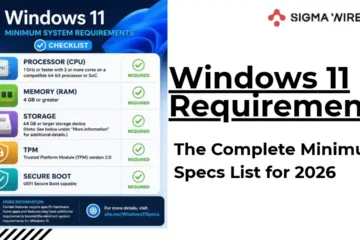
Reports say this is the final update for 24H2 Home and Pro. Those users should move to 25H2 or 26H2 to keep getting updates. 24H2 Enterprise and Education stay supported until October 2027. Read our guide to the 26H2 update and check the system requirements before you upgrade.
Should you install it?
For most people, yes. The update fixes an actively exploited security hole. If you use USB audio gear like an older headset, DAC, or mixer, test it after the update. If it breaks, try the 2-channel mode workaround. If you want a safe fallback in case something goes wrong, learn how to factory reset Windows 11 and back up your files first.
FAQs
What is KB5127648?
It is the October 2026 Patch Tuesday cumulative update for Windows 11 26H2, 25H2, and 24H2.
What build does KB5127648 install?
26H2 becomes 26300.9711, 25H2 becomes 26200.9711, and 24H2 becomes 26100.9711.
Is KB5127648 safe to install?
It fixes real security holes, including an actively exploited one. Known issues are limited to some USB Audio 1.0 devices and a few Copilot key edge cases.
Does KB5127648 fix Bluetooth problems?
Yes. It fixes a crash during Bluetooth audio streaming and several connection state issues.
What update does Windows 11 23H2 get?
23H2 gets KB5126653.
How do I uninstall KB5127648?
Go to Settings > Windows Update > Update history > Uninstall updates. Since it includes security fixes, we do not suggest removing it unless it breaks something important.
Is this the last update for Windows 11 24H2?
Reports say it is the last one for 24H2 Home and Pro. Enterprise and Education editions continue until October 2027.